

Latest Version
Joshua Spicer
Education
Mac
Free
1535573526
Report a Problem
More About Daily Word (Language Widget)
An Elegant Solution for Daily Vocabulary Retention
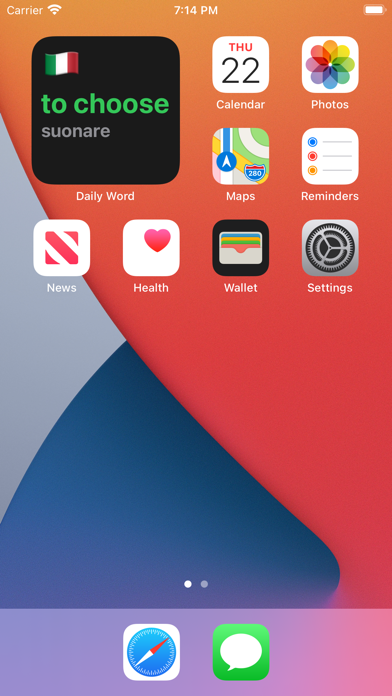
Integrating micro-learning into a busy schedule can be a challenge, but the Daily Word (Language Widget) offers an effortless way to build your vocabulary. Designed specifically for the Mac platform by developer Joshua Spicer, this educational utility sits quietly on your desktop, presenting you with one essential word every single day. By focusing on high-impact vocabulary rather than overwhelming grammar rules, it helps users build a solid linguistic foundation over time.
How the Daily Word (Language Widget) Works
The core philosophy behind this application is simplicity and consistency. Instead of demanding dedicated study blocks, the widget utilizes a "set-it-and-forget-it" approach. Once you activate the widget, the featured vocabulary cycles approximately every 24 hours from the moment you initiate the refresh button inside the main app interface. This ensures a steady, manageable pace of learning that fits naturally into your daily computer usage.
Curated Word Lists for Maximum Impact
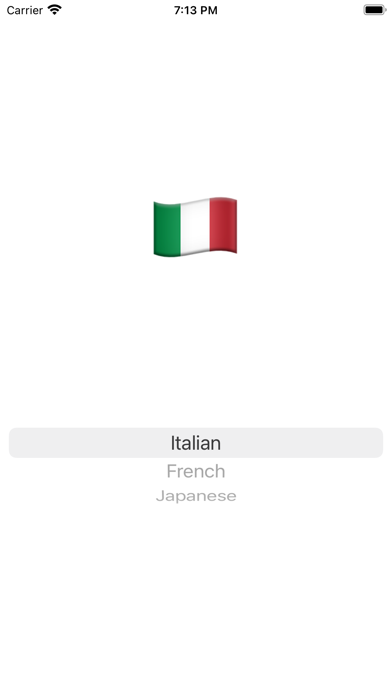
Rather than pulling random, obscure terms from a dictionary, the Daily Word (Language Widget) pulls its content from curated lists of the top 1000 most frequently used words. This targeted approach ensures you are dedicating your cognitive energy to the vocabulary that actually matters most in real-world conversations. Currently, the application supports several highly sought-after language tracks:
- Italian to English: Master essential Italian vocabulary daily.
- French to English: Build a practical foundation of common French terms.
- Japanese to English: Learn key Japanese words step-by-step.
Alternative Specialized Learning Sets
Beyond traditional spoken languages, the developer has included unique auxiliary training sets for users looking to expand their skills in other areas. These specialty decks include:
- Morse Code to English: Perfect your translation of classic telecommunication signals.
- Country Flags to Country Names: Sharpen your global geography and recognition skills.
Who Benefits Most From This Widget?
The Daily Word (Language Widget) is an exceptional tool for casual learners, busy professionals, and students who want constant, passive exposure to their target language. Because the project is open-source, it also serves as a fantastic collaborative space for developers and educators who wish to contribute new word lists or optimize the code via GitHub. If you are looking for a zero-pressure method to expand your mind while working on your Mac, this clean, distraction-free widget is an excellent addition to your desktop environment. You can explore the application further and add it to your system by visiting the official Mac App Store.
Rate the App
User Reviews















Popular Apps










Editor's Choice